tech talk
-
Tech Talk 22 – Explore 12 magnifier, large print keyboard, and Roger mic
To highlight the ways deafblind staff utilise technology in their everyday work at DBV, Jackie and Andrew discuss Jackie’s favourite tech: The full interview and transcript can be seen below. Andrew: Hello, I’m Andrew Howard. Jackie: Hi, my name is Jackie Sciberras. Andrew: Today we’re talking about technology. Jackie will show us what tech she…

-
Tech Talk 21 – Brailliant BI 20X
DBV member Taron loves the Brailliant BI 20X display and tells us why in this interview with Mark. Video and transcript below. Mark: Good morning, Taron. Taron: Hi Mark, how are you? I’m not too bad, thanks. Mark: We’re here today at DBV to talk about one particular device. Taron: The Brailliant BI 20X display. I’ve been using it for quite a few months and…

-
Tech Talk 20 – Adjusting speed on JAWS screen reader
DBV team member Alex Sar chats with Andrew about his favourite technology for work — the screen reader JAWS. Alex explains that you can change the volume and the speed. To get the full story watch the video and read the transcript below. Andrew: My name is Andrew Howard. My sign name is AH. Today,…

-
Tech Talk 19 – Braille frame and stylus, Roger Pen and rainbow cane
At DBV we love to highlight the different ways our deafblind staff utilise technology in their everyday work. In this video Jasper and Andrew discuss Jasper’s favourite tech used at work including the frame and stylus for writing Braille, text to speech software called JAWS, a Roger Pen plugged into the computer connected to hearing…

-
Tech Talk 17 – Phone stands and phone lanyard
Have you ever been on a video call and couldn’t find anything to hold up your phone? Or have you lost your phone and wondered if there’s a way to keep it secure? Today, Andrew Howard shares some handy gadgets that may help. Video translation: Hello, my name is Andrew Howard. Today I want to…

-
Tech Talk 16 – iPhone with screen reader… and a “technology” that’s alive!
DBV employee Jael Espinal-McCoskey explained to Andrew what technology she uses at work: an iPhone, a braille display, and a screen-reader program. And a surprising fourth piece of “tech”! Watch the video and read the transcript below to find out what it is. Transcript of video: Andrew: Hi, my name is Andrew. How about you?…

-
Tech Talk 15 – Explore 12 portable video magnifier
Video Translation Hi, my name is Andrew Howard. Today I’m talking about Explore 12. It’s larger than the Explore 8. They both have different coloured backgrounds, and Explore 12 has some additional features. Let’s have a look. [Andrew sets up the stand for the magnifier on a table] Once you set it up you slide…

-
Tech Talk 14 – Apple Vision Pro
Deafblind Victoria member Robert Lokmer tried out a new device: Apple Vision Pro. It’s a headset that you wear in front of your eyes for enhanced vision, and it has digital features like apps and photos. Below are two videos. The first shows Andrew Howard talking to Robert about whether this device is useful for…

-
Tech Talk 11 – Accessible Keyboards
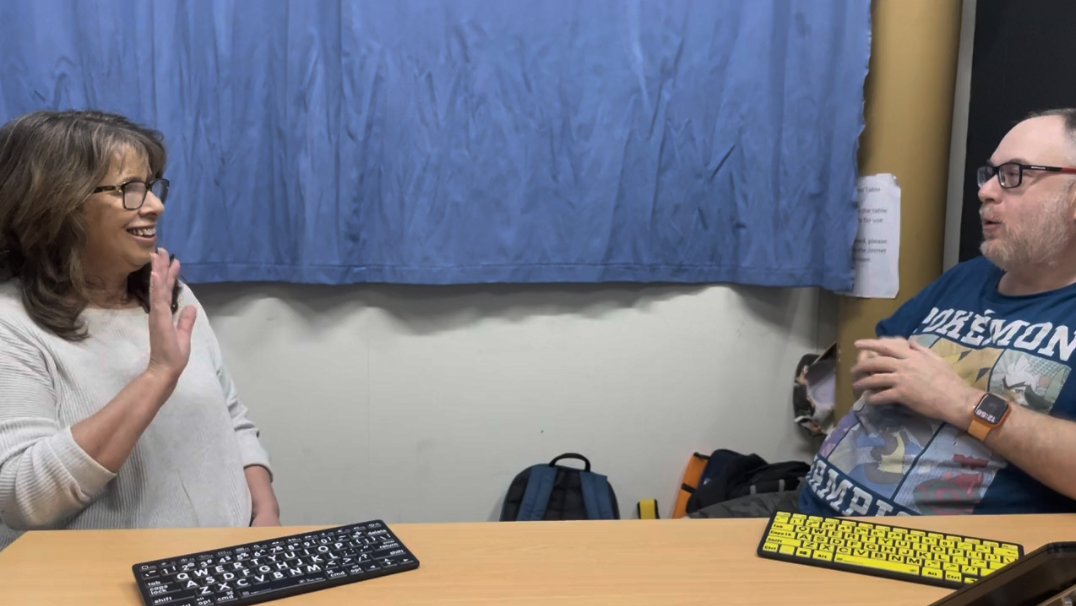
Video Translation: Andrew: Hello, my name is Andrew Howard. I’m working here at DBV and today I’ll show you some keyboard technology. My favourite keyboard, the one I’m most comfortable with, has black letters on a yellow background. You can buy it at Vision Australia or Quantum. It can connect to a Windows computer via…
-
Tech talk 10 – Explore 8 magnifier with external screen
Video translation: Hello, my name is Andrew Howard. I want to tell you about the Humanware Explore 8 magnifier, which like a camera can display newspapers, books, etc. and you can use a USB-C cable to connect it to your computer. You can access the photo gallery and use the touch screen or your computer…